What Is the Best High Backed Office Chair?
What makes a High Backed Office Chair the right choice? It is not simply a taller backrest or a polished look. The best option should support your working posture while fitting your body, desk, and daily routine. At a desk, small details matter: whether the lumbar curve meets your lower back, whether your feet rest flat, and whether the armrests clear the desktop. Small details add up.
Ergonomics expert Alan Hedge is often associated with the advice, “The best posture is the next posture.” That idea matters when comparing chairs. Even a supportive seat should let you adjust your position rather than hold you rigidly for hours. A high back may provide more support for some people, but it does not automatically suit every height or task. A headrest that presses forward, for example, can feel wrong during typing.
This guide looks at what to check before buying: backrest height and shape, lumbar support, seat depth, adjustment range, materials, and long-term comfort. It also considers who may benefit from a high-backed design and when another chair might be a better fit. Product claims can sound convincing. Measurements and a careful fit check are more useful. One honest limitation: no chair can compensate for every desk setup or replace movement breaks. The goal is a considered choice, not a perfect chair.
What Defines a High-Backed Office Chair?
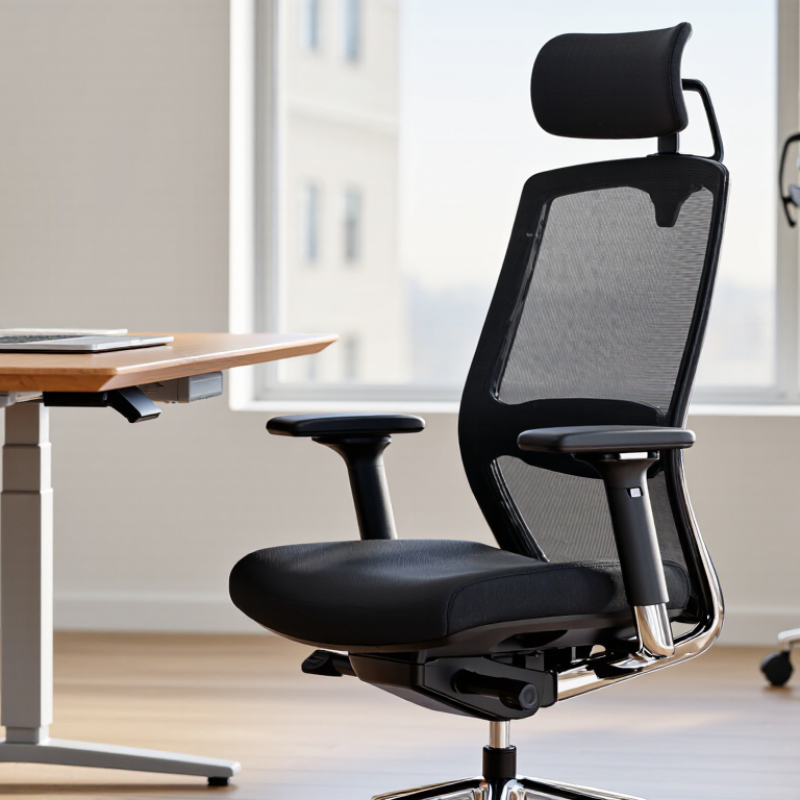
A high-backed office chair is defined less by a fixed height than by how its backrest supports the user. There is no universal height cutoff. Typically, the backrest rises above the shoulders and supports the upper back, while a separate headrest may support the head. A tall back alone is not enough. Look for lumbar support that meets the curve of your lower back, plus adjustments for seat height and recline. Your feet should rest flat, and the chair should let your shoulders relax rather than push them forward.
The distinction matters during long workdays. The U.S. Bureau of Labor Statistics’ 2023 American Time Use Survey reports that employed people worked an average of 7.9 hours on days they worked; that figure does not mean they sat for every hour. Still, a poorly fitted chair can make sustained desk work uncomfortable. OSHA’s Computer Workstations eTool recommends adjustable seating and back support suited to the user. BIFMA’s X5.1 standard, meanwhile, tests general-purpose office chairs for performance and safety; it does not define “high-backed.” That’s easy to miss. A chair may look supportive but still leave a gap at your lower back, so try its adjustments at your own desk before deciding.
Which Ergonomic Features Support the Head, Neck, and Back?
A high-backed office chair should support the spine, while its headrest meets the back of the head without pushing the chin forward. That distinction matters during long screen sessions. WHO’s 2023 low-back-pain fact sheet estimates that 619 million people experienced low back pain in 2020. This figure shows the scale of the issue, not proof that any chair prevents pain.
OSHA’s Computer Workstations eTool advises using a chair that supports the lower back and fits the worker. Look for adjustable lumbar height, seat depth, and recline tension. The backrest should contact your lower spine rather than leave a hollow gap. A headrest helps only when it supports a neutral head position during reclined breaks. When typing upright, it should not force your head forward. Fit differs by body, and product diagrams can make this look simpler than it feels.
Tips: Sit with feet flat and shoulders relaxed. Set the screen near eye level, then adjust the backrest. Move every 30–60 minutes, even briefly. Check whether the headrest touches gently, not constantly. Small details matter.
How Do Materials and Adjustability Affect Comfort?
A high-backed office chair can support your upper back, but its materials determine how that support feels through a long workday. Breathable mesh lets heat escape, which may help if your back gets warm. Yet firm mesh can press against the shoulder blades, and its tension may feel different from one chair to another. Padded fabric feels softer at first, though thick foam can trap heat or flatten with regular use. Neither material is automatically better; room temperature, clothing, and sitting habits all matter.
Adjustability turns a chair from a fixed shape into a closer fit. Look for a backrest that meets your shoulders without pushing your head forward, plus lumbar support that rests near your belt line. A seat-depth adjustment can leave a small gap behind your knees, while adjustable armrests let your elbows stay near your sides. Small details matter. Try changing one setting at a time, then sit for at least fifteen minutes. If you keep shifting, the chair may not fit, even if its specifications look impressive. I would not assume every discomfort comes from the chair; desk height and movement breaks can affect comfort too. Some adjustments take patience, and that part is easy to overlook.
How Should You Compare High-Backed Chair Types?
High-backed chairs differ in shape, materials, and adjustability. Compare how each type supports your body, not just how tall its back looks. An ergonomic task chair often offers adjustable lumbar support, seat depth, and armrests. These features can help you fine-tune the fit during long desk sessions. A mesh back feels airy, though its tension may not suit everyone. Padded upholstery feels softer, but can feel warm after hours of sitting.
Executive-style chairs often have broad, cushioned backs and a substantial feel. They may suit people who prefer softer support, but fewer adjustments can make a poor fit harder to correct. Check whether the back reaches your shoulders and whether your feet rest flat when seated. Try the recline and adjust the lumbar area. Small differences matter. Honestly, a tall chair is not automatically more comfortable; I have found seat depth can matter just as much.
Tips: Compare chairs at your usual desk height. Sit for several minutes, change positions, and check for pressure behind your knees. If possible, test the chair before buying. A quick showroom sit is useful, but it may not predict comfort all day.
How Can You Choose a Chair for Your Work Needs?
Choosing a chair for work starts with your body and tasks, not the tallest backrest in the showroom. If you type for hours, check that the seat height lets your feet rest flat and your knees bend comfortably. The lumbar support should meet your lower back without pushing it forward. A high back can support more of your torso, but it cannot fix a seat that is too deep or a desk that forces your shoulders upward. Fit matters. If possible, sit in the chair for at least 15 minutes and adjust its settings before deciding.
The U.S. Bureau of Labor Statistics reported 272,780 musculoskeletal-disorder cases involving days away, restricted work, or job transfer in 2018. That figure does not show that chairs caused those cases, but it highlights why comfortable workstation setup deserves attention. Look for independently adjustable seat height, backrest tilt, and armrests; consider whether the chair fits beneath your desk. If your feet cannot reach the floor, a footrest may help. Not every feature helps every worker. I would not treat a tall back as a cure: posture changes through the day, and even a well-fitted chair can feel wrong after a long shift.